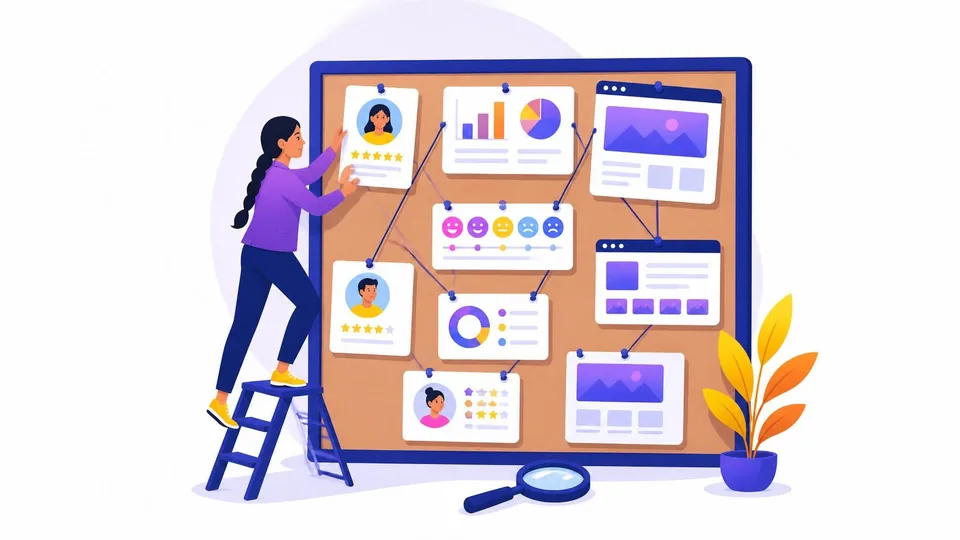
A website built around the wrong assumptions about who it’s for will underperform no matter how well it’s designed. The gap between a site that consistently brings in leads and one that sits idle almost always traces back to how well the team understood the audience before any design decision was made.
This two-part guide walks through the research framework that closes that gap. Part 1 covers how to define who the audience actually is, starting with the client and working outward through their customers, their competitors, and the data. Part 2 picks up with behavior research, pain point discovery, and how all of it translates into the design itself.
Phase 1: Ask the Client the Right Questions First
Before researching the audience, you need to research the business. Every discovery process should start with a structured conversation with the client, covering who they believe their customers are, what those customers care about, and what the website needs to accomplish.
These questions surface the raw material for everything that follows.
- “Who is your ideal customer?” Push for a specific person, not a category. “Small business owners” isn’t an answer. “A 45-year-old plumbing contractor in the greater Phoenix area who does residential service calls” is.
- “What are the top three problems your customers come to you to solve?” The answer is often different from what the business assumes.
- “What questions do customers ask most before they decide to buy?” These become the content priorities for every service page.
- “What made your best customer choose you over a competitor?” The answer reveals the real differentiator, which is usually not what the About page says.
- “Do you have Google Analytics or Search Console set up?” Existing data is always faster than starting from scratch.
The discovery session is a strategy call, not an intake form. It’s also where clients often realize they’ve never clearly defined their audience. That’s not a problem; it’s exactly why the research that follows matters.
Phase 2: Study the Customers Who Already Exist
The fastest way to understand who a business’s customers should be is to study who they already are. If the client has existing customers, that data contains patterns no amount of hypothesizing can replace.
- Interview 5 to 8 existing customers, especially repeat buyers. Nielsen Norman Group research shows that just five qualitative user interviews typically surface the dominant patterns across an audience. Ask why they chose the business, what problem it solved, and what almost stopped them from making a decision.
- Review the CRM or customer database. Look for shared traits among the most profitable or most loyal customers: location, job title, how they found the business, and what they purchased first.
- Separate repeat customers from one-time customers. The repeat buyer profile is almost always more useful for design than the average customer profile.
The patterns from these conversations become the foundation for every decision downstream.
Phase 3: Research the Competitive Landscape
Your client’s competitors have already done years of trial and error with the same audience. That research is publicly available if you know where to look.
- Analyze 3 to 5 competitor websites. Read the copy carefully: who is the “you” they speak to? What pain points do they lead with? What proof do they use to build credibility?
- Mine competitor reviews. Read the 1- and 2-star reviews on Google, Yelp, and Trustpilot. Unhappy competitor customers describe exactly what the audience values, what they expect, and where they felt let down. That’s a roadmap for where your client can do it better.
- Use SimilarWeb (free tier available) to see competitor audience demographics, including estimated age ranges, gender distribution, and geographic breakdown. Their data covers over 100 million websites.
- Use SparkToro (free plan: 5 searches per month) to find where the target audience spends time online, which publications they read, and which topics they engage with. That shapes not just the website but every channel the business uses to reach them.
Competitor research reveals what the audience has been trained to expect, which is the baseline you need before deciding where to stand out.
Phase 4: Define the Demographics
Demographics are the starting point for design decisions, not the ending point. Age, location, income level, and device type each create specific design constraints, and understanding them before opening a design tool means every choice has a reason behind it.
Where to find the data:
- Google Analytics 4: Enable Google Signals under Admin > Data Settings > Data Collection. GA4 then reports age range, gender, geographic distribution, and interests under Reports > User > Demographics. Add “device category” as a secondary dimension to understand whether the audience is primarily on mobile or desktop. Mobile now accounts for 62.66% of all global web traffic (Statista, 2025).
- Meta Audience Insights: If the client runs Facebook or Instagram, Audience Insights provides demographic breakdowns of their followers, including age, gender, and location.
- U.S. Census Bureau: For local service businesses, census data validates whether a target audience exists in sufficient numbers within a specific geographic area.
What demographics tell you about design:
- Audiences 55 and older: Increase base font sizes to 18 to 20px minimum, use high-contrast color combinations, simplify navigation with visible text labels, and avoid hover-only interactions.
- Audiences under 30: Expect mobile-first, app-like interactions, bolder visual treatments, and dark mode support.
- Mobile-heavy audiences: Every layout, form, and button must be designed for one-handed use. Despite mobile accounting for nearly two-thirds of all web traffic, a significant portion of small business sites still aren’t built to handle it.
- Income level: Higher-income audiences respond to premium visual treatments and credentials-forward design. Budget-conscious audiences respond to transparent pricing and value comparisons.
Demographics give you the outer edges of the design problem. The next step is understanding what happens inside them. Part 2 of this guide covers behavior research, pain point discovery, and how to build a user persona that ties all of it together before a single design decision gets made.