A plumber and a wedding florist can each spend $500 on ads this month and see very different results. When a pipe bursts, the plumber’s customer types the problem into Google and calls whoever shows up first. The florist’s customer spends months saving ideas before contacting anyone, and often not in a search bar.
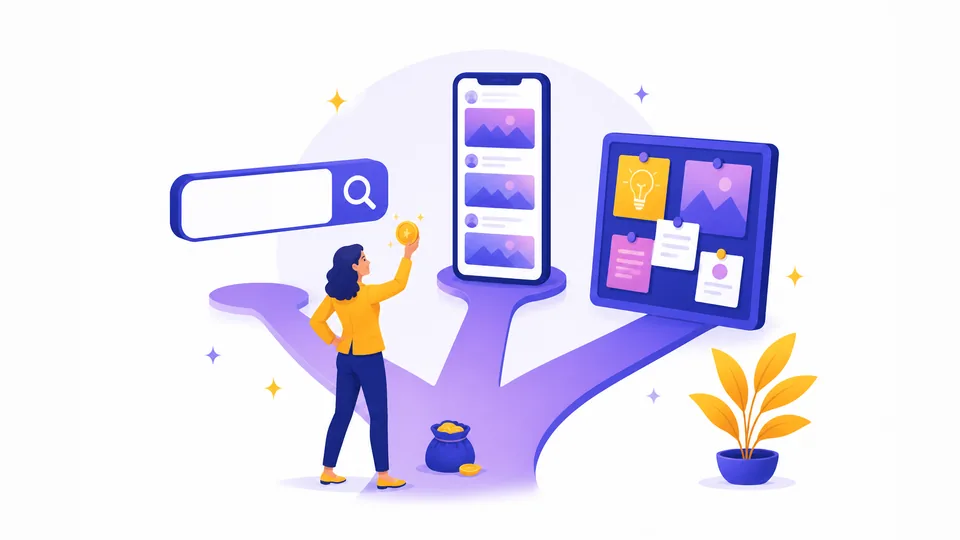
Where you advertise matters as much as how much you spend. Google, Meta (the company behind Facebook and Instagram), and Pinterest each reach people in a different frame of mind. The same budget goes much further on the platform where your customers already are, and buys far less on one where they aren’t.
This two-part guide walks through that choice. Part 1 covers what each platform does well, who it suits, and what to set up before you spend a dollar. Part 2 gets into Google’s automated Performance Max campaigns and how to keep your budget from leaking into searches that never turn into customers.
Match the Platform to What Your Customer Is Doing
Every ad platform catches your customer in a different moment. Someone typing a problem into a search bar is in a very different place than someone scrolling photos on a lunch break, and an ad that fits one moment doesn’t work in the other. Choose by popularity or by what a competitor is using, and you run the risk of paying to appear where nobody is ready to hear from you.
Here’s how the three line up.
- Google reaches people who are searching right now. Someone types “emergency plumber near me” or “dentist accepting new patients,” and your ad appears while they need the answer. They already know what they want, so the contest is over who they call.
- Meta reaches people before they know they need you. Facebook and Instagram show ads based on who people are and what they’re interested in, not what they typed. A homeowner scrolling past before-and-after photos of a kitchen remodel wasn’t looking for a contractor, but may be thinking about one now.
- Pinterest reaches people who are planning. Wedding flowers, a backyard makeover, a dinner party menu: people use Pinterest to search for and save ideas long before they buy. They’re looking, just not in a hurry and not yet for you in particular.
The same person can be a great customer on one platform and a wasted click on another. Someone three months from booking a venue isn’t ready for a “call now” ad, and someone standing in a flooded basement doesn’t want an inspiration board.
Think about how your last few customers found you, and what they were doing right before they did. That answer can point to where to start.
Start With Google When Customers Search for What You Do
If people already type your service into Google, paid search is the clearest place to start. Search ads are the sponsored results at the top of the page. You choose the phrases you want to appear for, write a short headline and description, and pay each time someone clicks, a model called pay-per-click (PPC).
It suits businesses where the need arrives before the search: plumbers, electricians, locksmiths, dentists, attorneys, carpet cleaners. These customers aren’t browsing for ideas. They have a problem and a phone in hand, and being visible at that moment is the whole advantage.
Local service businesses have one more option to look at. Google’s Local Services Ads sit at the very top of the results for eligible categories and can carry a “Google Guaranteed” badge, which gives a stranger a quick reason to trust you before they’ve seen your website.
Clicks aren’t cheap, and the price depends heavily on your industry. WordStream, a pay-per-click software company, put the 2026 average cost per click across US search campaigns at $5.42, with the average cost per lead at $66.69. Your own numbers could land well above or below those, depending on how many competitors want the same phrases.
That makes budget a matter of giving Google enough room to learn. A common starting range is $300 to $1,000 a month, with competitive fields like legal and healthcare often needing more. Aim it at the few searches that come from someone ready to hire you, and even modest spending has time to show what works.
Choose Meta When Customers Don’t Know to Search for You
Meta works best when you’re reaching people who haven’t started looking. Meta is the company behind Facebook, Instagram, and Messenger, and its ads appear in feeds, Stories, and Reels alongside everything else people scroll through. If your work photographs well, or you’re promoting an event or a special offer, it can put you in front of the right people before they ever type a search.
A salon showing a color transformation, a bakery taking holiday pre-orders, and a dentist running a whitening special all fit. A few settings decide whether the spending pays off.
- Pick the objective that matches the result you want. Every campaign starts with an objective, which tells Meta what to optimize for: Awareness, Traffic, Engagement, Leads, Sales, or App Promotion (for app installs). If you want phone calls and bookings, choose Leads or Sales. An Engagement campaign brings likes and comments, which look good and don’t bring customers.
- Treat targeting as a starting point. Meta now steers advertisers toward Advantage+, its automated targeting, and removed the option to exclude detailed interest groups in 2025. The age, location, and interests you enter act as suggestions, and Meta may show your ads to people outside them if it expects better results. That works well for some businesses and feels like lost control for niche ones.
- Start from people who already know you. A Custom Audience is a group you build from your own customer email list, website visitors, or people who’ve engaged with your page. A lookalike audience then asks Meta to find new people who resemble them. Both are still available, and both begin with a connection to your business.
- Judge cost per lead, not cost per click. Clicks generally cost less than on Google, but a cheaper click doesn’t always mean a cheaper lead. Track what each inquiry or sale costs you.
A boosted post isn’t a campaign. The Boost button gets a post in front of more people, which is fine for basic visibility. A campaign with a clear objective and tracking behind it can do more, and a small test shows how your audience responds before you commit to a bigger budget.
Consider Pinterest If Your Customers Plan Before They Buy
Pinterest works more like a search engine for ideas than a social network. People type phrases like “small backyard patio” or “rustic wedding centerpieces,” browse the images that come back, and save the ones they like to boards, which are Pinterest’s collections of saved posts (called Pins). Many of them are planning something they’ll spend money on, just not today.
That makes it a good fit when the buying decision takes weeks or months and starts with how something looks. Home renovation, weddings, fashion, food, and handmade goods all fit, and so does anything a customer wants to collect examples of before choosing. A florist, a landscape designer, and a ceramics shop can all appear in the middle of that planning, while the customer is still working out what they want.
It’s a poor fit for urgent needs. Nobody builds a board of emergency plumbers, so if your customers search because something just broke, Google is the place to start.
Put ad money behind Pins that already work. Pinterest ads look like regular Pins, with a small label marking them as promoted. Post organically for a while, see which Pins get saved and clicked most, and promote those. Pinterest has already seen people respond to them, which gives you a better starting point than guessing which image to pay for.
Words still matter on a platform built around pictures. Pinterest reads titles, descriptions, and even the text on an image to decide what a Pin is about, so the phrases your customers actually search belong in all three.
If your customers collect ideas before they commit, Pinterest meets them while the decision is still open.
Define What a Customer Looks Like Before You Spend
Decide what counts as a result before the first ad runs. For a plumber it’s a phone call, for a salon a booked appointment, for a shop a purchase, and for a consultant a completed contact form. Marketers call each of these a conversion, the action that tells you an ad did its job.
The platforms need that definition too. Google and Meta both optimize toward whatever action you tell them matters, so a loose goal like a page view teaches them to find people who click around and never contact you. Part 2 will return to this when we look at Google’s automated campaigns.
Tracking is what turns the definition into numbers.
- Install each platform’s tracking tag. A tracking tag is a small piece of code on your website that reports back when someone takes an action. Google uses its own tag (often managed through Google Tag Manager), Meta uses the Meta Pixel, and Pinterest has the Pinterest tag.
- Count results, not just visits. Form submissions, calls from your site, bookings, and purchases all belong in your reports.
- Tag your links to see where visitors came from. UTM parameters, which are tags added to a URL, show which ad or listing sent each visit.
- Test it before you spend. Submit your own form and confirm the action shows up in your reports.
Without tracking, you can see what you spent but not what it bought. If setting up tags feels out of reach, this is a good place to ask for help, because the data it produces guides every decision after it.
Send ad clicks to a page built for that ad. Your homepage has plenty competing for attention, and someone who clicked an ad about drain cleaning wants drain cleaning, a price, and a number to call. A landing page, a single page built around one offer with one clear next step, tends to convert better than a general homepage. Match its headline to the ad that brought the visitor, so they know they’re in the right place.
A click costs the same whether it lands on the right page or the wrong one. The page you send it to determines whether the budget pays off or doesn’t.
Start With One Platform and Test Small
One platform managed well beats three managed thinly. Running Google and Meta together can work. Google catches people searching today, while Meta keeps you in front of people who may need you later, including visitors who’ve already been to your website. But a budget split too many ways leaves each platform with too little to learn from, and the results on all of them tend to suffer.
Start with the platform that matches how your customers find you. If they search when a problem hits, that’s Google. If they need to see your work before they think of you, that’s Meta, and if they collect ideas for weeks first, that’s Pinterest.
Give it a modest budget and a few weeks, with tracking in place, and watch what it costs you to win a customer. Add a second platform once the first is producing results you can measure.
A platform that fits your customer, with modest spending behind it, beats a bigger budget in the wrong place. Part 2 picks up with the other half of the equation, keeping that spending efficient. It covers Google’s automated Performance Max campaigns and how to stop your budget from leaking into searches that never turn into customers.